
Turn website enquiries into Salesforce Leads and Cases
Give website visitors a way to ask questions in their own words and give your team a Salesforce record to follow up. Built by Code Zenith with Anthropic Claude and Salesforce, the Assistant uses approved business information and supports configured enquiry workflows.
Website conversations your team can follow up in Salesforce
See two examples of configured enquiry workflows. A retail support enquiry becomes a Salesforce Case. A tourism enquiry becomes a Salesforce Lead. Both use fictional businesses and demo data.
What the Assistant can do
Code Zenith's Agentic AI Website Assistant combines Claude AI with Salesforce-connected business information and configurable workflows to deliver conversational experiences tailored to your organisation.
Natural Language Conversations
Enable website visitors to interact with your business through natural-language conversations powered by Anthropic's Claude AI.
Salesforce-Connected Knowledge
Use relevant business information maintained in Salesforce to provide contextual responses to customer enquiries.
Create Salesforce records
When an enquiry matches a configured workflow, the Assistant collects the details your team needs. Custom Salesforce Apex creates a Case in the retail prototype and a Lead in the tourism prototype.
Industry-Specific Experiences
Tailor conversational experiences to different industries and business scenarios, including retail and tourism.
Website Integration
Introduce an AI-powered conversational interface to your business website, connected to your Salesforce environment.
How Our AI Website Assistant Works
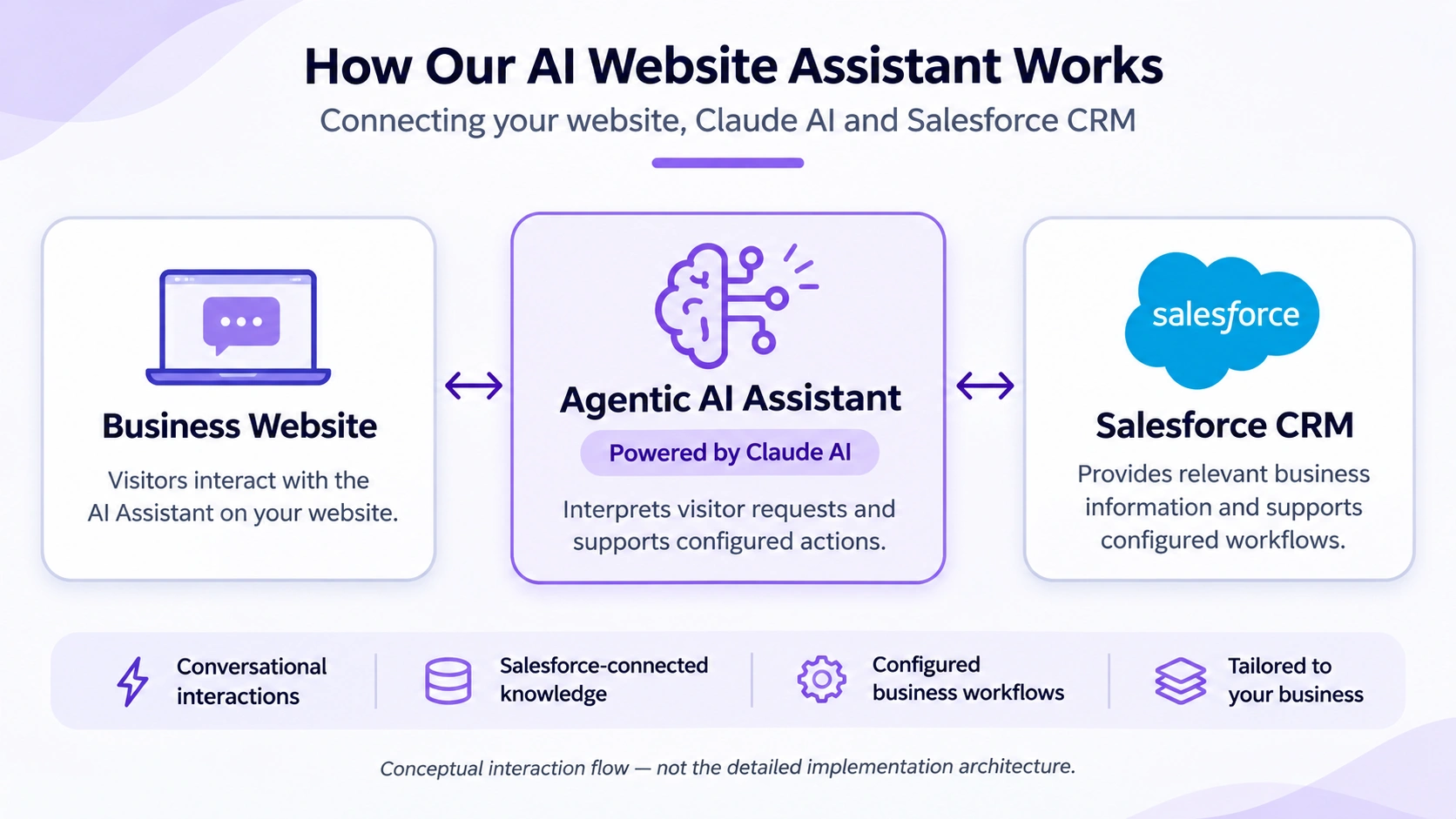
Connecting your website, Claude AI and Salesforce CRM
A visitor asks a question. They open the Assistant on your website and describe what they need.
The Assistant responds using approved information. Claude interprets the question, and the Assistant uses the business information made available through the Salesforce-connected solution.
Salesforce records the enquiry when the workflow applies. The configured workflow collects the required details and uses Salesforce Apex to create the Lead or Case for your team to follow up.
See the Assistant in action
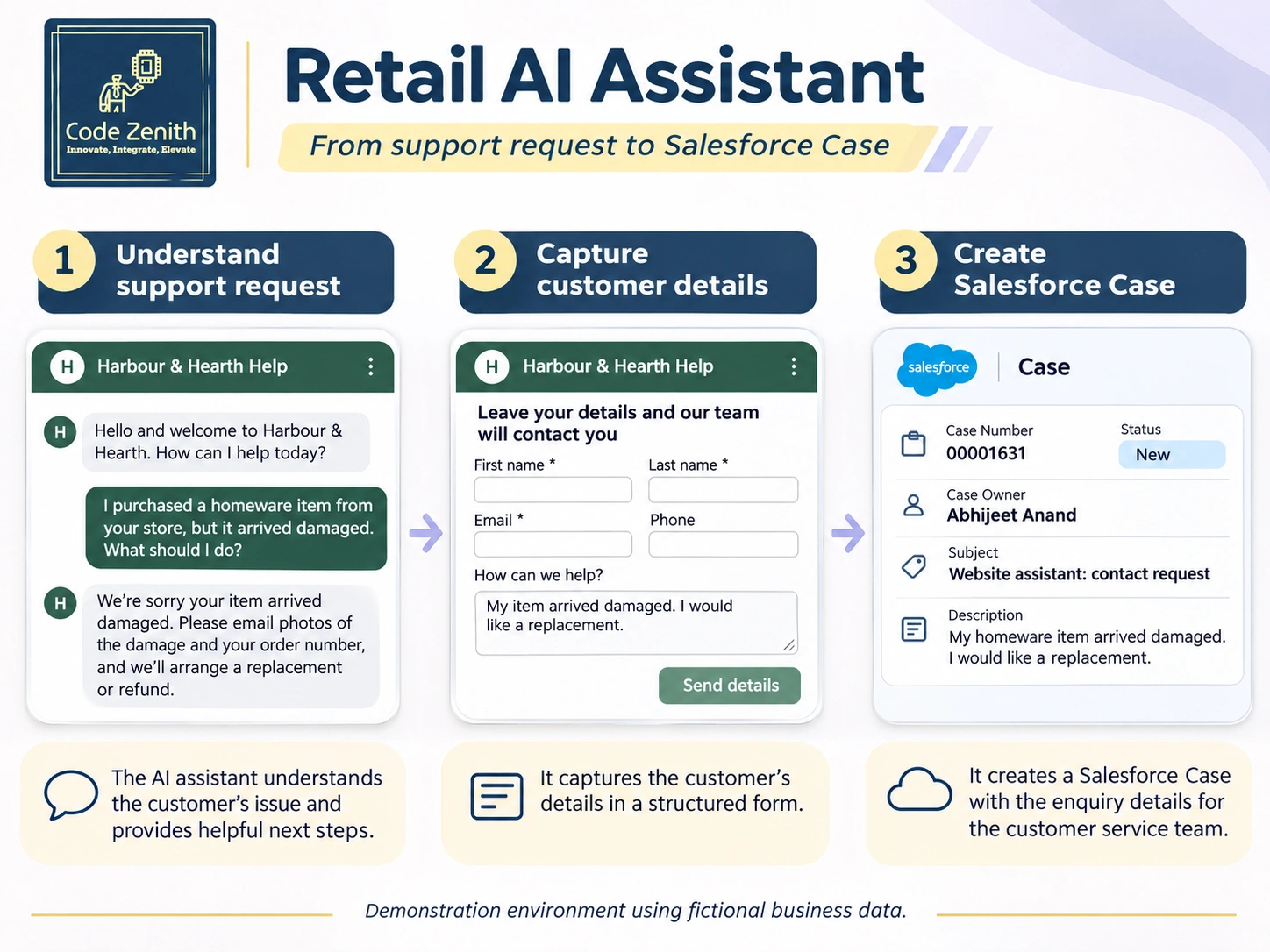
Retail · Harbour & Hearth
A shopper asks for help. The configured workflow collects the details needed for follow-up and creates a Salesforce Case for the service team.
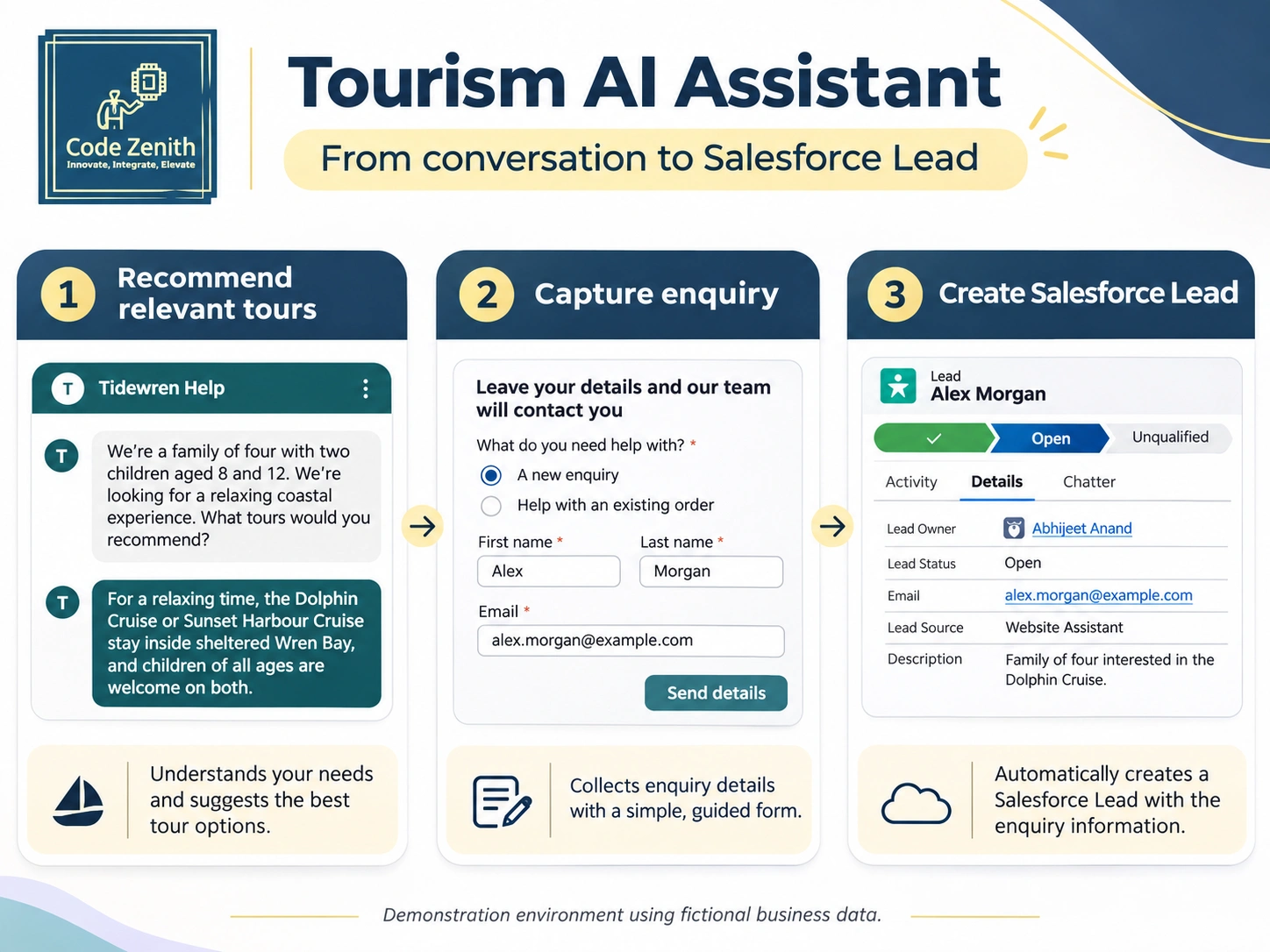
Tourism · Tidewren Coastal Tours
A visitor asks about tours and leaves an enquiry. The configured workflow creates a Salesforce Lead for the sales team to follow up.
Frequently Asked Questions
Common questions about the AI Website Assistant.
It answers common questions about your products, services and policies using information your team approves.
Yes. It can collect contact and enquiry details and create a Salesforce Lead or Case, depending on the configured workflow.
The demonstrated workflows capture enquiries for follow-up. If you need order status, live availability, booking confirmation, inventory checks or payments, raise those requirements during discovery so we can assess the integrations and scope.
Try the retail and tourism prototypes or request a walkthrough. We start with one enquiry type, the information the Assistant needs, and the Salesforce record your team wants to receive. After reviewing your setup, we propose a scope, timeline and cost.
We review your Salesforce edition, website platform, available business information and target workflow before recommending a pilot.
During scoping, we review what the Assistant collects, what is sent to Anthropic Claude, what is written to Salesforce, and what retention requirements apply to your business.
Request a demo for your business
Tell us which website enquiry you’d like to handle and what your team does with it today. We’ll use your details to arrange a walkthrough and discuss how the workflow could fit your Salesforce setup.
You can also email enquiries@codezenith.com.au.